

Most businesses keep their logo on a phone: an image someone sent years ago, or a screenshot from Instagram. On WhatsApp it looks fine. The trouble starts the day you need to print a sign or show the logo large on your website: it comes out blurry, inside a white box that will not go away.
The fix is to vectorize the logo. This guide explains what that means and what a brand kit includes, with a real example: the logo of TFL Triple Frontera Logistics, which reached us over WhatsApp and which we rebuilt as vectors.
What a logo is
A logo is your business's visual signature: a symbol, some letters and a few colours that people recognise before they read anything. Day to day we call all of it "the logo", but designers tell four kinds apart by the parts they carry.
Logotype, isotype, combination mark and emblem
- Logotype Letters only: the name set in its own lettering.

- Isotype The symbol alone, no text.

- Combination mark Symbol and text side by side. Each part works alone.
- Emblem Symbol and text fused into one piece.
The difference between the last two: in a combination mark the symbol and the name sit side by side and each works alone; in an emblem the name sits inside the symbol and the two form one piece. In Spanish they are called imagotipo and isologo.
Knowing which parts your logo has tells you which versions you need. A combination mark like TFL's goes whole on a sign, without the globe in the website header, and as the letters TFL alone in the browser tab icon.
What a brand kit is
A brand kit gathers every file of your logo, ready for each use, plus its usage rules. The minimum it should include:
- The logo versions: full, horizontal, symbol only, and each of them in colour, in negative for dark backgrounds and in a single ink, black or white.
- The formats: SVG for the website, transparent PNG in several sizes, and PDF and EPS for the printer.
- The icons: the favicon (the small icon in the browser tab), the phone icon and the profile pictures for WhatsApp, Instagram, Facebook and your Google Business Profile.
- The colours with their exact codes.
- A usage guide: how much space to leave around the logo and its minimum size on screen and on paper.
Here are some versions of TFL's logo, now in vectors:
- The colour logo, on white
- Negative, for dark backgrounds
- One ink, on the brand yellow

- Horizontal, for the website header
- Monogram, for icons and profile pictures
- The globe alone, as a graphic element

Your brand colours
Every colour in your logo has a code. On screens it is the hex code, which starts with a hash sign: TFL's yellow is #FBC702. Print uses CMYK, the printer's four inks, and vinyl and paint use a swatch reference such as Pantone.
With the exact code, your yellow comes out the same on the website and on the sign. That is why we measure every colour on the file itself, pixel by pixel, instead of picking it by eye.
The code also lets you measure contrast, which tells you what text can be read on top of each colour. TFL's yellow on white gives 1.6 to 1, far from the 4.5 to 1 that accessibility standards ask for body text. With black lettering on top it gives 13.3 to 1. So TFL's yellow carries black text, and on white it is used for large shapes, like the letters of the logo.
What brand tokens are
Brand tokens are your brand's decisions saved under a name: every colour, typeface, size and spacing gets a fixed name and an exact value. Instead of writing #FBC702 in a hundred places, the website uses the name tfl-yellow, and if the colour changes tomorrow, it changes in one place.
tfl-yellowis#FBC702: the brand colour.tfl-blackis#000000: text and the globe.text-on-yellowistfl-black: anything read on top of the yellow.
Tokens connect your logo to your website and your ads: the same colour and the same type everywhere, without relying on anyone's memory.
What vectorizing a logo means
An ordinary image, such as a JPG or a PNG, is a grid of tiny coloured dots called pixels. This is TFL's logo as it arrived:
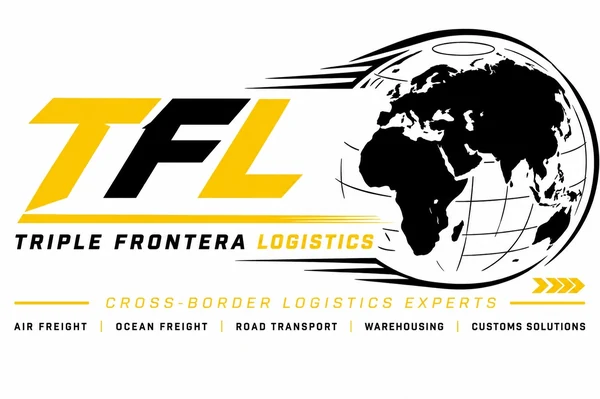
At this size it looks fine. But when you enlarge a pixel image, every pixel becomes a little square and the edges turn blurry.
A vector logo is made of shapes: lines and curves described with numbers. When you enlarge a vector, the computer redraws every curve at the new size, so the edge stays sharp in a 16 pixel favicon and on a three metre sign.
Vectorizing means turning the logo from pixels into vectors. See the difference on the same piece of TFL's logo:

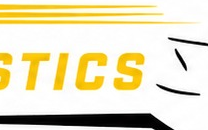
The most common vector formats are SVG (the web one), PDF, EPS and AI, the Illustrator file. JPG, PNG and WebP are always pixels.
Why a vector logo looks more professional
Sharp at every size
From the browser tab icon to an event banner, one file serves every use and comes out with clean edges.
No white box
A JPG carries its background with it: on a photo or a colour, the logo sits inside a white rectangle. The vector carries only the logo and sits on any background.
Exact colours
Every shape carries its measured colour code, so the print shop and whoever builds your website use the same yellow.
A version for every background
With the logo in vectors, the negative for dark backgrounds or the single-ink version for a stamp is a colour change. With a JPG, every new version is a new drawing.
It is the file printers ask for
Print shops and vinyl workshops work with vectors. Bring them a JPG and they ask for the original, or they redraw the logo themselves, and every shop draws a different version.
How to vectorize a logo properly
There are programs and websites that vectorize on their own: you upload the image and get an SVG back. For a simple drawing with good contrast, they are enough. With a real logo they fail exactly where it shows most: small letters that come out misshapen, colours that bleed into each other at the edges, straight lines that turn wavy and files with thousands of points.
A good vectorization is a reconstruction:
- Find the best file that exists. A small flat image beats a large photo of the sign.
- Measure the colours on the file.
- Separate the parts of the logo: the symbol, the name, the line underneath.
- Redraw each part with the right tool: straight lines as exact straight lines and circles as circles. In TFL's case, the T, the F and the L became perfect polygons of 6 to 13 corners each.
- Compare against the enlarged original, piece by piece, until the two match.
Why we vectorize your logo before building your website
When a business starts its website with us, often all it has is the logo as a JPG or a photo. That file cannot carry a professional website: the site shows the logo large in the header, tiny in the browser tab, on photos and on colours, and the JPG looks blurry or sits inside its white box in almost every one of those places.
So before designing anything, we rebuild the logo as vectors. For TFL it took an afternoon: the T, the F and the L, the globe, the name and the services line, each part redrawn and compared against the original.
With the logo in vectors we build three visual design proposals for the website, and the client picks the one they like best. It is a step that almost never happens: the usual thing is to design with whatever file came over WhatsApp.
How to tell if your logo is already vector
- Check the file extension. SVG, PDF, EPS and AI can be vectors. JPG, PNG and WebP are pixels.
- Do the zoom test. Open the file and zoom all the way in: if the edges stay sharp, it is a vector; if little squares appear or the edges blur, it is pixels.
- Watch out for PDFs. A PDF can hold a picture of the logo inside. The zoom test works there too.
- Ask whoever made your logo. Designers usually keep the original file. If it exists, ask for that file: it is the best starting point for everything else.
Does your logo only exist as a JPG or a photo?Before we design your website, we rebuild your logo as vectors.
Message me on WhatsApp →